> For the complete documentation index, see [llms.txt](https://stakpak.gitbook.io/docs/llms.txt). Markdown versions of documentation pages are available by appending `.md` to page URLs; this page is available as [Markdown](https://stakpak.gitbook.io/docs/how-it-works/profiles.md).
# Profiles
## Introduction
### What are profiles?
Profiles let you save and switch between multiple Stakpak configurations. Each profile has its own provider, API keys, and model settings, so you can easily move between work, personal, and testing environments without changing your global setup.
## How to create a new profile?
1. Open your terminal
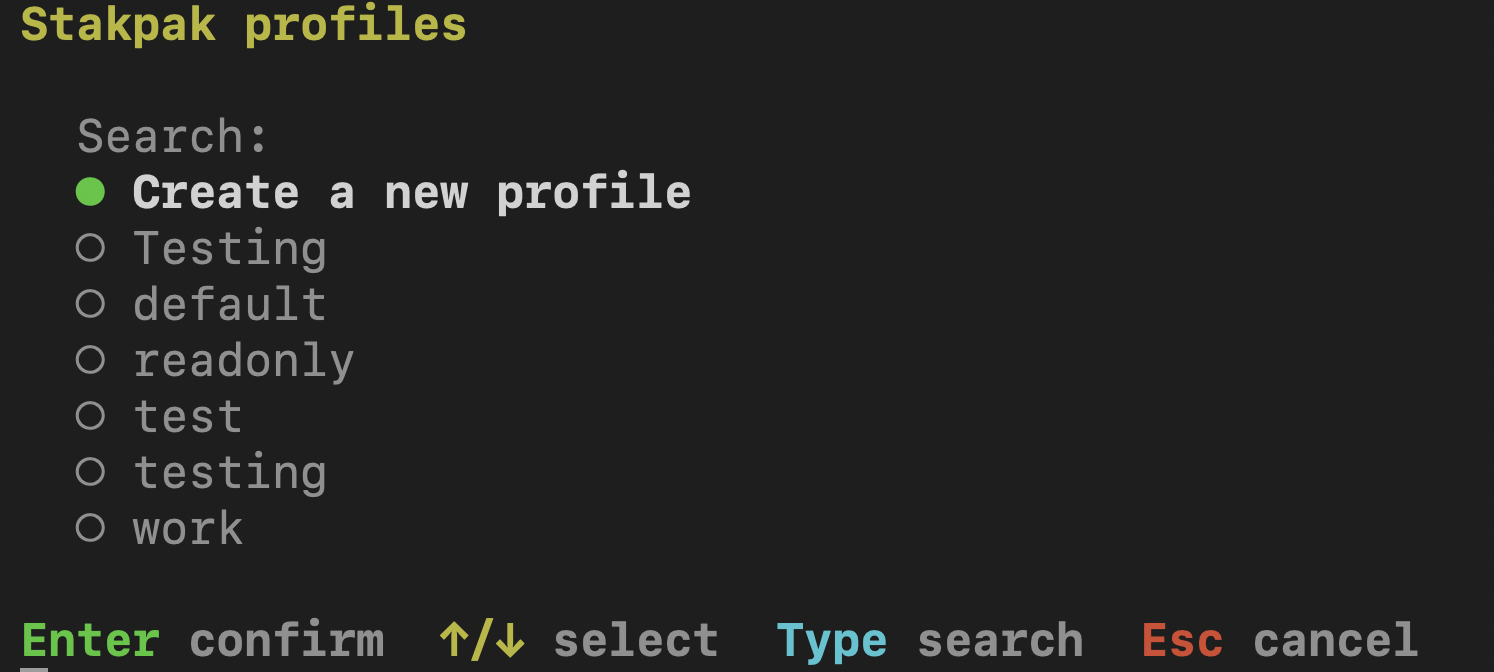
2. Write `stakpak config`
Here you will be able to see all your profiles
3. Press "Create a new profile."
4. Choose a name for your profile
5. Then [Configure Stakpak](/docs/get-started/configure-stakpak.md)
6. Press "Y" to continue to stakpak
### How to switch profiles?
1. Open Stakpak
2. Press control + k
### How to edit profiles?
1. Edit your `~/.stakpak/config.toml` file
{% hint style="info" %}
You can view the config sample by opening your terminal and typing `stakpak config sample`
{% endhint %}