> For the complete documentation index, see [llms.txt](https://stakpak.gitbook.io/docs/llms.txt). Markdown versions of documentation pages are available by appending `.md` to page URLs; this page is available as [Markdown](https://stakpak.gitbook.io/docs/tutorial/migrate-from-nginx-to-caddy.md).
# Migrate from NGINX to Caddy
### Why Migrate to Caddy?
[Caddy](mailto:undefined) is open source, and it provides automatic HTTPS and certificate renewal out of the box, removing the need for Certbot or cron jobs. It offers secure defaults, simpler configuration, which makes it a lightweight and low maintenance replacement for nginx\
\
It acts as a reverse proxy, load balancer, and static file server out of the box, with secure defaults and minimal setup.
## How Stakpak Helps?
You don't need to know anything about networking, or AWS or Caddy to sit it up, you dont need to go through documentation or Google commands
## Step by Step Guide
### Architecture
Our current setup uses a single tier architecture on AWS to host a static HTML website. It runs on a t3.micro EC2 instance using nginx 1.28.0, serving files from `/usr/share/nginx/html/`. The instance is part of the default VPC and resides in a public subnet, allowing direct internet access.
Traffic is managed by a security group with inbound rules open to:
* SSH (port 22)
* HTTP (port 80)
* HTTPS (port 443)
DNS is handled through Amazon Route 53, where an A record points the domain `migratingtocaddy.guku.io` to the instance’s public IP. TLS certificates are issued by Let’s Encrypt and configured via Certbot with the nginx plugin, enabling automatic HTTPS redirection.
#### The problem with this architecture:
* Depends on manual Certbot setup (The renewal cron job can easily be forgotten)
* nginx configuration is unnecessarily complex
* No built in automation for TLS or reloads
* Higher maintenance for updates and security hardening
Let's see how we can fix these problems with caddy
### Prerequisites
1. [Install Stakpak](/docs/get-started/install-stakpak.md)
2. Open your terminal and type "stakpak"
3. You should configure your cloud credentials before opening stakpak, since stakpak will use your existing machine setup to work
### Guide
1. Then ask Stakpak to "Migrate from NGINX to Caddy with 0 downtime on AWS"
2. First Stakpak will check what is our current set up on AWS
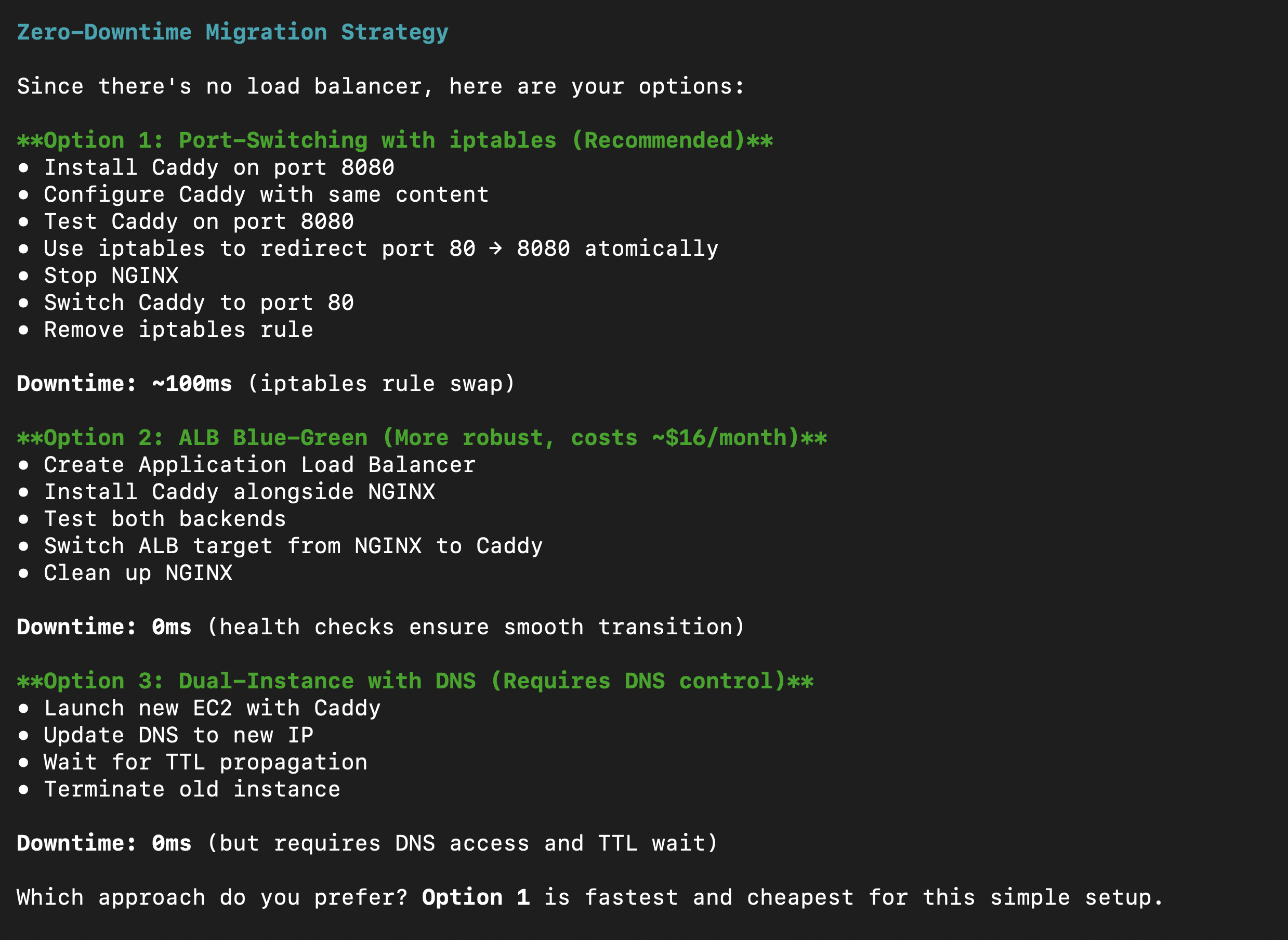
3. Now, Stakpak recommended three zero down time strategies for the migration
4. Since we don't want downtime because of the DNS access and TLS let's choose the second option
4. Now that we have the ALB and target groups, Stakpak will install Caddy
5. After installing Caddy Stakpak will copy the website content
6. Now wait for the health checks so we make sure Caddy is working fine
8. Now Stakpak is updates the DNS to point to the ALB
9. Thats it, we are ready to redirect the traffic to Caddy, and since we are using ALB we will be able to roll back if needed
## Now it's working🥳
ps: don't forget to check our new [Slack Integration](/docs/how-it-works/slack-integration.md)👀
## Extra Resources:
### References
* [Install Stakpak](/docs/get-started/install-stakpak.md)
* [EC2 Documentation](https://docs.aws.amazon.com/ec2/)
* [VPC Documentation](mailto:undefined)
* [Application Load Balancer Documentation](https://docs.aws.amazon.com/elasticloadbalancing/latest/application/application-load-balancers.html)
* [Route 53 Documentation](https://docs.aws.amazon.com/route53/)
* [NGINX Documentation](https://nginx.org/en/docs/)
* [Caddy Documentation](https://caddyserver.com/docs/)